Mermaid Isle Tools & References
Controls, checklists, and wiki shortcuts for faster sessions.
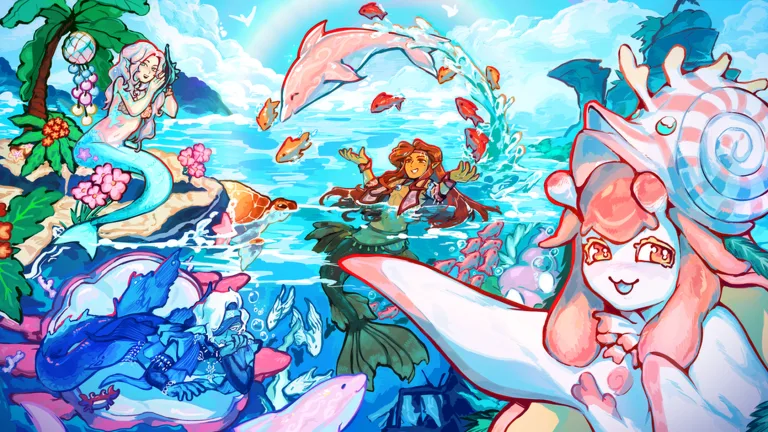
Not every Mermaid Isle question needs a 600-word guide. Sometimes you need a controls reminder before a Shellhorn co-op, a code redemption path on mobile, or a single page that links every planner this wiki offers. The Mermaid Isle tools hub exists for those moments—quick references that keep you in the game instead of scrolling Discord.
Tools here are not exploits or scripts. They are legitimate references aligned with how the live Roblox build actually behaves after Reef Refresh and Season of Myths patches.
Primary tool on this hub
Controls reference
The full Mermaid Isle controls page documents PC and mobile movement, swimming, singing for bubble events, menu navigation, graphics settings, and the Settings → Redeem flow for codes. New players should skim it once; veterans can jump straight to the redemption section when a patch drops fresh strings like ReefRefresh or SelkiesHymn.
How this wiki acts as a toolkit
Beyond the controls page, treat these hubs as structured tools:
- Codes hub — searchable table of active rewards with expiry notes
- How to redeem codes — step-by-step UI walkthrough with troubleshooting
- Tier list hub — ranked shopping list for tails and loadouts
- Best setups — premade tail + perk combinations
- Pearls currency — income calculator mindset (clam colors, timers, quests)
- Farm Pearls guide — route planning for grind sessions
Suggested workflows
First session checklist
- Read Getting Started for island orientation.
- Open controls and test swimming + singing on a bubble if one spawns.
- Redeem every active code on the codes hub.
- Join the official group for the 250 Pearl like bonus (see wiki links).
Returning player checklist
- Scan the updates hub for patch names you missed.
- Compare new tails on the tier list before shrine spending.
- Refresh keybinds on the controls page—mobile HUD moves between major builds.
Event week checklist
- Read the relevant update page (for example Season of Myths).
- Follow event guides such as Selkies Hymn if seals are active.
- Log perk choices on best setups so co-op groups match builds.
External tools we do not host
Community spreadsheets and fan Trello boards sometimes appear online, but Mermaid Isle has no official Trello. Prefer this wiki and the official Discord for verified information—unofficial boards often lag patches or mix expired codes.
Requesting new wiki tools
If you want a dedicated checklist (for example a printable Shellhorn quartet layout), mention it in Discord feedback channels. For now, combine controls + codes + tier pages and you cover ninety percent of daily friction.
Keep this hub bookmarked on a second monitor—it is the fastest legitimate shortcut between you and a productive Mermaid Isle session.
Frequently Asked Questions
Quick answers players look up before they dive back in.
Does Mermaid Isle have official wiki tools or calculators?
The game does not ship an in-client build planner. This hub links wiki references—controls, codes, tier lists—that replace unofficial spreadsheets.
Where is the controls page for mobile?
The controls reference covers touch layouts, swim sticks, and menu icons separately from keyboard defaults.
Are scripts listed under tools?
No. Tools covers legitimate references only. Script content lives on the separate scripts hub and is unrelated to control or code helpers.
How do I redeem codes quickly during an update?
Open Settings via the cog icon, paste into the code field, tap Redeem, then rejoin if cosmetics do not appear immediately.
What is the fastest tool for pearl farming planning?
Combine the Pearls currency page with the farm Pearls guide for spawn logic, then use codes for burst income during events.